








 Web Trader MT5









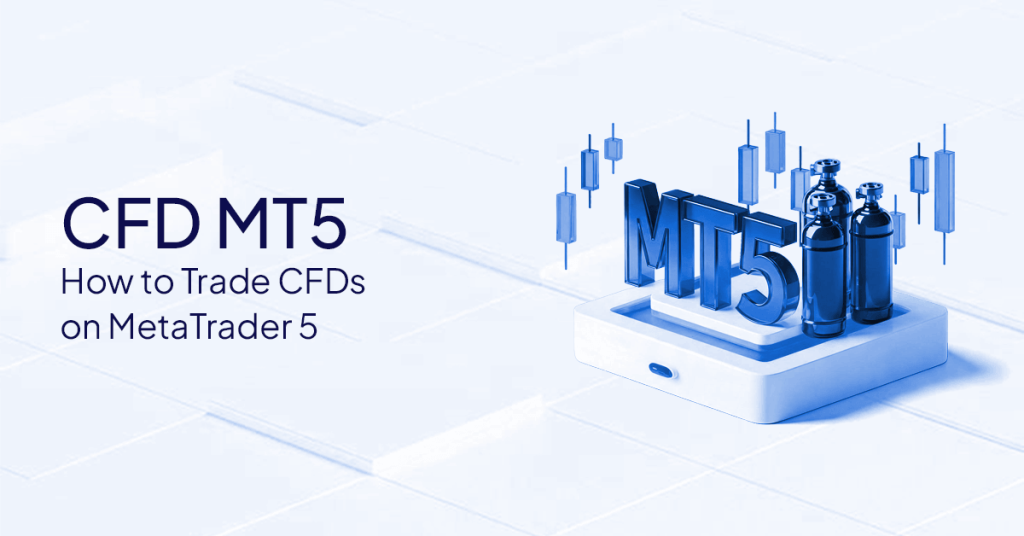
CFD MT5 is trading Contracts for Difference using MetaTrader 5, a platform that will provide you with the measures to analyze markets and manage trades, but the instruments, costs, and conditions are controlled by your provider.
You read about how traders navigate international markets with powerful software, but how do these virtual contracts work on such a popular terminal?
A large number of users enter the term “CFD MT5” to learn how to bridge the gap between this sophisticated charting software and the real financial markets. The most important point to note is that MetaTrader 5 is just a software platform.
In this article, you will learn specifically how these contracts work on the site, what assets you can trade, how to configure everything, the costs, and how to troubleshoot the most common problems.
Disclaimer: The article is not an investment or trading recommendation, but it is merely educational. CFDs are complex and highly risky, as they can cause losses to mount quickly due to leverage.
Quick Answer
CFD MT5 is trading Contracts for Difference (CFDs) through the use of MetaTrader 5.
MT5 offers charts, order types, and risk-management tools, while the CFD provider provides instruments, pricing, leverage, and trading conditions.
What Does CFD MT5 Mean?
This term refers to the process of implementing Contracts for Difference via the MetaTrader 5 software interface.
Platform vs Provider
The first step to mastering the software is learning about the ecosystem.
- What a CFD is: A Contract for difference is a financial contract that is agreed upon to exchange the difference between the price of an asset at the time of opening the contract and the time of closing it. You do not own the underlying asset.
- What MT5 does: The platform provides a graphical interface, high-speed execution, technical charts, and an order management system. It acts as your control panel.
- What the provider has control over: The actual market access, leverage, trade costs (spreads and commissions), and the specific list of available assets are controlled by the provider you select.
Why MT5 is used for CFDs
Traders are interested in this software because it is designed to trade across various asset classes simultaneously.
- Multi-asset support: It is specifically built to support both centralized and non-centralized markets, unlike its predecessor. MetaQuotes data confirms that over 75% of new forex trading accounts opened use MT5, up from prior years.
- Professional charting and indicators: It provides dozens of built-in technical indicators, graphical objects, and multiple timeframes for in-depth market analysis.
- Types of orders and automation software: The system supports advanced pending orders and the adoption of automated trading systems, which include popular Expert Advisors (EAs).
What is an MT5 CFD?
An MT5 CFD is an electronic contract that finalizes the price dynamics of an underlying asset, traded directly on the MetaTrader 5 platform.
CFDs Explained
When trading these instruments, the ownership and actual delivery of the asset do not exist. The point at which you enter and leave determines your profit or loss.
Since you will be merely speculating on the price difference, you can trade in a rising and falling market.
Long vs Short on MT5
Direction knowledge is critical in placing trades.
Going long means you place a buy order in the belief that the market price will rise. Going short refers to placing a sell order in anticipation of a decline in the market price.
Your positions in the toolbox terminal are clearly shown at the bottom of the screen, which shows the direction (Buy or Sell), the entry price, and the floating profit or loss.
Mini Case Study: Imagine you suspect that a particular stock index will fall. You open a sell position. In the case of a price fall, the difference between your entry price, which is greater than your exit price, is your profit. Between the two, if the price rises, it becomes your loss.
What Can You Trade as CFDs on MetaTrader 5?
With a Metatrader 5 CFD, you can trade a vast range of all the global asset categories, depending entirely on what your preferred provider offers.
Typical Categories on MT5
The platform is diverse and usually accommodates several key asset classes.
- Forex pairs: Minor, major, and exotic currency pairs.
- Indices: Major markets of the world stock market indices, indicating a wider market performance.
- Commodities: Hard and soft commodities such as gold, oil, and agricultural products.
- Shares: Personal stocks of the corporations of the world stock exchange markets.
Why Your Market Watch May Look Different
When you compare your screen to that of another trader, you do not necessarily have the same assets. The Market Watch window shows the required symbols which your connected server offers.
The lists of symbols vary greatly by provider. Moreover, the available contracts are usually account-specific; a standard account may display various symbols or suffixes (such as EURUSD.a) that a professional account does not.
When you cannot see an asset, then it is just that your current server connection does not have it, or you have to unhide it.
How to Set up MT5 for CFD Trading
Setting up the platform requires installing the software, linking your provider’s server credentials, and organizing the charts.
Step 1: Install MT5
To install the software, first, download it from your provider or from the official MetaQuots site. It can be used on Windows, macOS, iOS, and Android. The installation is very fast (a few minutes according to the prompt guidelines).
Step 2: Log in to the Trading Account
After installation, open the program and log in. You have to choose the precise name of the server offered by your company. The connection is established by entering your account number and password. If the connection is successful, you will see data flowing in the lower-right corner.
Step 3: Add Symbols in Market Watch
On the left of your screen, in the market watch window, right-click anywhere. Click “Show All” to see all the instruments that your provider has to offer. It is also possible to search for a specific asset by typing its ticker symbol in the bottom search bar of the list.
Step 4: Open Charts and Set Timeframes
In the Market Watch, right-click on an asset of your choice and then choose “Chart Window.” The toolbar also has a timeframe that can be adjusted. You can save your template for later use on charts, customize your chart colors and indicators, and right-click to save your chart as a template.
Step 5: Check Contract Specifications
To trade in any asset, right-click on the asset and choose Specification. The next window provides essential details, including volume limits (minimum and maximum lot sizes), margin requirements, and the hours of the day when the market is open.
How to Place CFD Trades on MT5
To use the Metatrader 5 software, you can place trades either by carrying them out now at the existing price or you placing conditional orders that execute at a certain future price.
Market Orders vs Pending Orders
A market order is a direct command to buy or sell an asset at the current best available price. A pending order is an instruction to purchase or sell at a specified price once the market reaches a certain level.
You use the “limits” when you want the price to rebound to a level (e.g., a Buy Limit, which is below the current price). Stops are applied when there is an expectation that the price will break a level and then proceed past it (e.g., a Buy Stop above the current price).
Setting Stop-Loss and Take-Profit
The order window is designed to integrate risk management directly. For order placement, you may enter the desired exit prices in the Stop Loss (SL) and Take Profit (TP) areas.
When you are already in an open trade, you can make a simple click-and-drag to move your entry line up or down on you chart, helping you set up these exit points visually.
Modifying Orders and Positions
The market environment is dynamic, so you might need to adjust your parameters. The open position in your Toolbox terminal can be opened with a simple double-click, which displays the modification window.
In this case, you can manually change your SL or TP. To close out a position, all or part thereof, right-click the trade, choose “Close Position,” or press the X button at the far right of the trade row.
One-click Trading
The program has a quick-executing feature. With it turned on, a buy or sell button on the chart trades instantly, giving no second confirmation.
It is useful when time is of the essence, but it poses a risk to beginners who may press the wrong buttons, opening unwanted positions.
Margin, Leverage, and Costs on MT5
MT5 shows your financial statistics in real time, although the actual leverage ratios, costs, and margin rules are set solely by your provider.
What MT5 Shows vs What the Account Sets
The platform will act as a funds management display monitor. The leverage ratio for those trades is determined by your provider’s backend systems, even though the software automatically computes your floating profit and loss.
Based on the rules of international regulators, such as the Financial Conduct Authority (FCA) and the European Securities and Markets Authority, leverage caps are highly observed to ensure that retail customers do not face losses in a short period of time.
Where to See Margin Used and Free Margin
Check your Toolbox terminal in the tab “Trade.”
The “Margin” value indicates the amount of capital which is tied up to maintain your open positions. The Free Margin suggests the amount of capital available to open new trades or absorb potential losses.
Spread and Commission
Trading costs take two forms. The difference between the bid (sell) and ask (buy) prices is called the spread, and it is built into the charts.
There are commissions, which may vary depending on the type of account you have, and which are charged per lot of the trade and appear in a special column on your terminal.
To gain an objective perspective on the general structure of contract costs, a CFD guide can provide a breakdown of the costs.
Overnight / Financing Charges
Positioning after the daily rollover time in the market incurs financing costs. These are known as swap rates.
The particular swap long and swap short rates are available in the specifications window for any symbol. This charge will either be debited to your account or deducted, depending on the interest rate differential.
Slippage and Execution Basics
Implementation is conditional upon the market. Slippage occurs when a market order is filled at a price different from the requested price due to high volatility/ low liquidity.
Requotes occur when the price you requested is no longer available, and the provider asks you to accept a new price before completing a transaction.
Risk Management Basics for CFD Trading on MT5
Risk management depends on limiting exposure through software tools to ensure consistent position sizing.
Position Sizing Using Stop-Loss Distance
Never guess your trade volume.
This is because you should calculate your position size based on the distance from your entry price to your stop-loss. In case of a hit of your stop-loss, the financial loss must be a minor but predetermined percentage of your overall account balance.
Avoiding Overexposure
Do not trade significantly correlated symbols at the same time.
When you purchase two assets which generally have the same direction, you are essentially increasing the amount of risk that you are exposed to on one market event. View your total risk in all the outstanding positions in the terminal.
Alerts and a Simple Pre-trade Checklist
Monitor the markets using technology.
When a specific price is met, right-click a chart, select the “trading” option, then “alert” to have the platform alert you. Make sure you have a good margin before executing, check that you have a stop-loss, and that there are no significant news events about to trigger heavy slipping.
Common MT5 CFD Problems and Quick Fixes
The vast majority of problems with this platform are due to simple errors, such as being unable to connect, using the wrong account type, or incorrect settings in the order window.
| Problem | Likely Cause | Quick Fix |
| “Symbol not found” or empty Market Watch | Symbols are hidden by default. | Right-click in Market Watch and select “Show All.” |
| “Trade disabled” or “market closed.” | Trying to trade outside market hours or using view-only credentials. | Check symbol specifications for hours; ensure you logged in with the master password. |
| High margin usage or insufficient margin | Attempting to open a lot size too large for your balance. | Reduce the trade volume (lot size) or add funds to increase Free Margin. |
| Order rejected | Volume too small/large, or stops placed too close to the current price. | Check the “Specification” window for minimal volumes and stop-level restrictions. |
MT5 vs MT4 for CFD Trading
They both appear to be similar, but there is a more modern, faster architecture, which is constructed on a multi-asset platform, not a foreign exchange one, and is known as MT5.
Key Practical Differences
The shift between the two platforms can bring about significant improvements.
- Interface: The new one has been slightly revised, with updated icons, dockable windows, and an in-built economic calendar.
- Markets supported: MT4 was designed with decentralised forex in mind. Its successor, linking to centralized exchanges, real stock and futures trading, and standard contracts, is also possible.
- Features and tools: The newer platform offers more timeframes (21 vs 9), more built-in technical indicators, and a better strategy tester for automated trading.
Which One to Choose
MT4 vs MT5, which one should you choose? This is dependent on your trading requirements.
If you need a basic, low-weightage index-only forex platform, the older MT4 version is still very reliable. The newer MT5 terminal is the rational choice if you wish to access a wider set of asset classes, longer analysis timeframes, and quicker back-test options.
The education center at STARTRADER has more information on finding the correct software
FAQs
It is the practice of trading Contracts for Difference (CFD), a financial derivative that trades on price fluctuations, using the MetaTrader 5 software interface.
Yes. The platform is actually designed to process this type of instrument, as long as the company you opened your account with hosts them on their servers.
MT5 is simply the charting and trading application developed by MetaQuotes. A provider is the financial company that provides access to the market, the price of the assets, custody of the funds, and leveraging.
Click on any spot inside the Market Watch window, and you will see a drop-down menu with “Show All” as an option. This shows all the tools that your networked server offers.
Conclusion
Learning how to use the platform is equally crucial as learning how to analyze the market. We have examined the way CFD MT5 works, making a distinct difference between the software, which gives you your charts, and the provider, which provides you with the market access.
Knowing the assets available, the step by step process of setting them up, and the mechanical workings of the various types of orders, you will be better placed to manoeuvre around the terminal with ease.
Never forget that, along with learning the software, there is another component of the equation: the cost, margin requirements, and strict risk-management rules that come with leveraged trading. You should spend time practicing with these tools in a risk-free setting.
Tags


Open Live Account
 Email Address
 Phone Number
Important Notice
STARTRADER does not accept any applications from Australian residents.
To comply with regulatory requirements, clicking the button will redirect you to the STARTRADER website operated by STARTRADER PRIME GLOBAL PTY LTD (ABN 65 156 005 668), an authorized Australian Financial Services Licence holder (AFSL no. 421210) regulated by the Australian Securities and Investments Commission.
Important Notice for Residents of the United Arab Emirates
In alignment with local regulatory requirements, individuals residing in the United Arab Emirates are requested to proceed via our dedicated regional platform at startrader.ae, which is operated by STARTRADER Global Financial Consultation & Financial Analysis L.L.C.. This entity is licensed by the UAE Capital Market Authority (CMA) under License No. 20200000241, and is authorised to introduce financial services and promote financial products in the UAE.
Please click the "Continue" button below to be redirected.


