








 Web Trader MT5




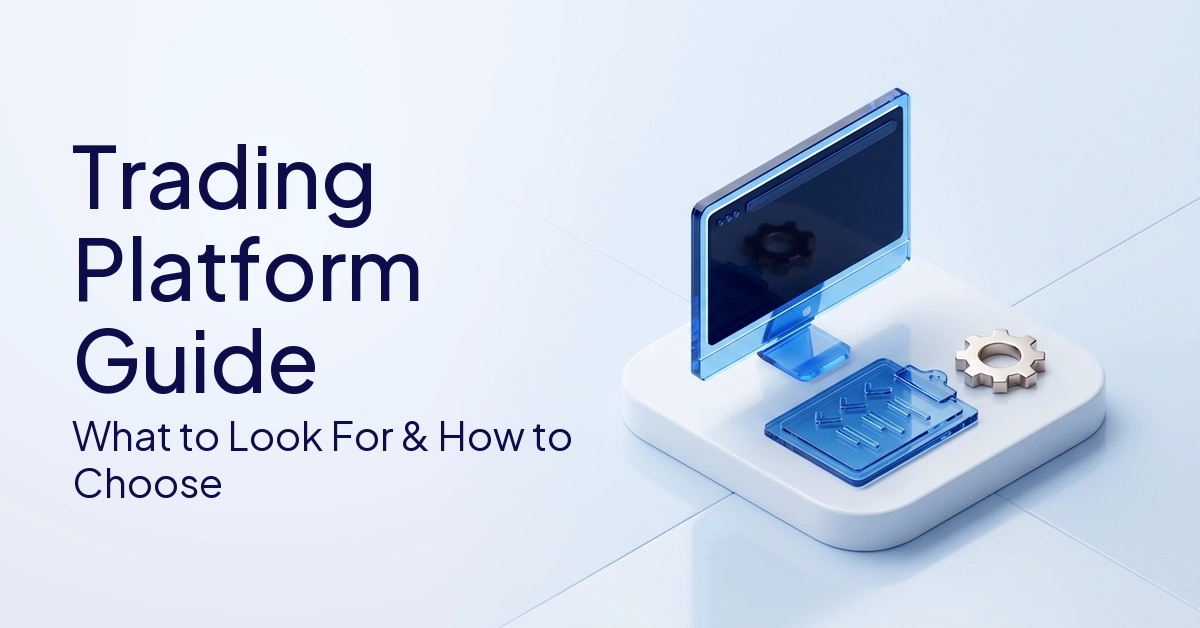
A trading platform is the software used by traders to access the markets, analyse charts, place orders and manage positions.
Have you ever wondered how a single click on your screen can immediately place you into the trillion-dollar global financial market?
Selecting a suitable trading platform is among the most crucial choices a trader can make. Your speed of executing orders, the charts you have access to, the markets you can trade and the type of orders you can place will depend on the platform you choose.
It also changes how you manage your account and what analytical tools you use day-to-day. This guide will walk you through the inner workings of these systems.
We will look at the main types of platforms available, the main features that you should compare and the differences between MetaTrader 4, MetaTrader 5 and web platforms. We’ll also take a look at modern AI trading tools and provide a detailed step-by-step guide on how to open a trading account.
Quick Answer
A trading platform is a software that connects traders to the financial markets to open, manage and close orders.
It provides important features like real-time charts, technical indicators, order execution systems and account management tools. Trading platforms are widely available in the form of downloadable desktop software, browser-based web applications and mobile apps.
What Is A Trading Platform?
A trading platform is software that traders use to analyze markets, place orders and manage trades.
It is the nerve center of anyone who trades financial markets.
Trading Platform Meaning In Simple Terms
A trading platform is essentially a trader’s main digital access point to the world’s financial markets. It is the bridge between a retail trader sitting at home and the broader financial system. This platform enables traders to see current asset prices, examine past charts and execute precision trades.
A platform is required not only to buy and sell, but also to change pending orders and to close active positions. It also provides a safe way to check the live account balance and the available margin and the past performance. Without this interface it would be almost impossible to participate in the retail market.
How A Trading Platform Connects To The Market
The platform connects directly to the broker’s pricing, liquidity and execution infrastructure behind the scenes. When a trader hits a button to place an order, the platform instantly generates a digital instruction. This data packet is then securely transmitted over the internet to the broker’s servers.
Once the broker has the instruction, their systems will send the order to the wider market or to a pool of liquidity within the firm. The entire process happens in milliseconds, so the screen price you see as a trader will be very close to your final execution price.
What Traders Use Platforms For
Traders will apply technical indicators and do deep chart analysis using platforms. Traders can identify potential market trends using tools such as moving averages or momentum oscillators. This is also where critical risk management is done such as setting stop-loss and take-profit levels.
Moreover, platforms enable users to generate personalized market watchlists to track particular assets. They keep detailed records of trades made, which are important for performance measurement and tax purposes. Finally, platforms provide important information on funding your account, and they can be personalized to set up price alerts.
Main Platform Formats
The software is available in a variety of formats to suit different technical requirements. Desktop platforms like MetaTrader 4 and MetaTrader 5 are installed but have powerful processing power. They are preferred by power users who need a lot of customization.
Or you can use web platforms that run right in your browser, without any downloads. Mobile apps are now the norm, allowing users to manage their portfolios from anywhere. Finally, proprietary platforms are custom-built solutions, built only by certain brokerage firms.
What Are The Main Types Of Trading Platforms?
Trading platforms are generally categorized into desktop, web-based, mobile and proprietary platforms.
Each category has a different purpose depending on the user’s technical needs and lifestyle.
Desktop Platforms
Desktop platforms such as MetaTrader 4 and MetaTrader 5 are fully installed software applications which run locally on a computer. They are very stable and fast as they use the processing power of the computer. They provide the best charting environments available to retail traders.
These installations also let you use Expert Advisors (EAs) and custom indicators. Traders who use sophisticated algorithmic trading systems almost exclusively use desktop platforms. They give deep control over the platform and allow the user to change the interface down to the smallest detail.
Web-Based Platforms
Web-based: An online trading platform that functions entirely in an internet browser. This means that there is no need to download, install or update anything manually. Traders can conveniently access their accounts from any internet-connected and compatible device.
These platforms are considered more beginner friendly thanks to their simplified user interface. But this simplicity is usually at a cost. Web platforms usually don’t have advanced customization and rarely support sophisticated algorithmic trading bots.
Mobile Trading Apps
Mobile apps take financial markets to your iOS and Android smartphone or tablet. Traders can track their open positions and receive instant push notifications when price alerts are triggered. When you are away from your desk, mobile applications are a great way to place time-sensitive orders.
They are convenient but they have their own limitations. Small screen size makes detailed technical analysis and charting difficult. Therefore, mobile apps are better suited for monitoring rather than as the sole analytical tool.
Proprietary Platforms
Some brokers and fintechs develop and run their own platforms in-house. They are built to integrate perfectly into the broker’s internal systems. These platforms often have modern, highly intuitive interfaces that are easier to learn.
They can be very user-friendly but tend to be less flexible than open-architecture platforms. Proprietary software traders may not be able to import third-party indicators. Then again, if you want to change brokers later, you may have to learn a whole new proprietary system.
Suggested Platform Type Table
| Platform Type | Key Feature | Best For | Limitation |
| Desktop Platform | Advanced charting, indicators, EAs, and custom tools. | Traders who need detailed analysis and automation. | Requires local software installation. |
| Web Platform | Browser-based access with no installation required. | Beginners and traders who use multiple devices. | May have fewer advanced analytical tools. |
| Mobile App | Trading and position monitoring from a phone or tablet. | Position monitoring, quick execution, and alerts. | Smaller screen limits in-depth analysis. |
| Proprietary Platform | Unique, broker-built platform experience. | Traders who prefer visual simplicity and modern design. | May have fewer external third-party integrations. |
| Multi-Asset Platform | Access to forex, CFDs, stocks, commodities, or indices. | Traders comparing and trading different global markets. | Asset coverage depends entirely on the provider. |
What Features Should You Compare In A Trading Platform?
Traders need to compare platforms on execution, asset coverage, charting tools, order types, regulation, costs and usability.
Evaluating these objective factors will help you to understand if the software is compatible with your trading style.
Execution Speed
Speed of execution means how fast the orders get filled after the user clicks on “buy” or “sell”. When execution is high speed, the order is processed at the requested price, and the risk of slippage is minimized. This metric is important for the short-term participants.
Speed is everything for day traders, scalpers and those trading around major news events. A delay of even a few milliseconds can mean an order is filled at a less favorable price. Therefore, measuring the latency of the platform in a live environment is a necessary step in testing.
Available Assets
Not all platforms give you access to the same financial instruments. Traders may want access to forex, CFDs, individual stocks, agricultural commodities, global indices or precious metals. What markets you need access to depends on your trading strategy.
So, the best trading platform for one individual is completely dependent on the markets they want to trade. A good foreign exchange platform might not have wide access to corporate equities. Always check the list of assets before you settle for a software solution.
Charting Tools
Solid charting tools are the foundation of technical analysis. It features in-built technical indicators, multiple time frames and precise drawing tools such as Fibonacci retracements. These configurations can be saved as custom templates with a powerful platform.
Moreover, traders can also set visual or audio alerts on charts to stay informed without having to stare at the screen all the time. The platform should enable users to effortlessly manipulate visual data to recognize market structures. The more customisable the charts are, the better the trader can plan the entries.
Order Types
A flexible platform provides a range of order types to assist you with automatically managing your trades. In addition to the standard market orders, traders need to place limit orders to enter at a specific price and stop orders for breakouts. Trailing stops are also important to secure profits as the trend moves on.
Full control of the stop-loss and take-profit parameters has a direct impact on risk management. The more advanced types of pending orders allow traders to have more strategic control over their capital. The inability to place complex orders limits the strategic options of a trader substantially.
Costs And Trading Conditions
The platforms themselves are often free of charge, but they are tied to specific trading conditions. The platform’s pricing feed includes the spreads, commissions and overnight swap rates that traders need to consider. Some platforms may also have hidden fees for inactivity or costs for premium data subscriptions.
You want to consider the total cost of trading over time. Frequent traders can see their profit margin eroded by high transaction costs. To keep the evaluation objective, compare the average typical spreads of several providers. The FCA consumer guide on trading costs states that understanding the cumulative impact of these fees is critical to long-term sustainability.
Regulation And Broker Reliability
If the financial environment is not safe, software features are irrelevant. Traders should carry out an extensive check to see if the broker providing the platform is regulated and licensed in a respectable jurisdiction. Client funds are required to be held separately from company operational funds.
Advanced charting and execution are important but the safety of the broker and regulatory status are paramount. Trading with unregulated entities exposes traders to unnecessary counterparty risk. Always check the licensing credentials on the official website of the relevant financial authority.
User Experience
User experience includes the speed of the platform, the visual stability, and the simplicity of the interface. A messy, slow platform can be frustrating and cause you to make operational mistakes. The security of the login, such as two-factor authentication, is also an important factor of usability.
Also consider the quality of mobile access and the level of customer support available for the platform. Platforms with built-in educational tools within the interface are a plus. When a user experience is positive, the trader can concentrate 100% on the market and not on struggling with the software.
Feature Table
| Feature | Why It Matters | What To Look For |
| Execution Speed | Affects order fills, especially in fast-moving markets. | Stable, fast, and transparent execution with low latency. |
| Asset Coverage | Determines exactly what markets you can actively trade. | Comprehensive access to forex, CFDs, commodities, or stocks. |
| Charting Tools | Supports in-depth analysis and precise trade planning. | A wide variety of indicators, timeframes, and drawing tools. |
| Order Types | Helps manage automated market entries and exits. | Market, limit, stop, trailing stop, stop-loss, and take-profit options. |
| Costs | Directly affects your total daily trading expenses. | Competitive spreads, low commissions, swaps, and zero platform fees. |
| Regulation | Supports broker credibility and fund security. | A licensed broker operating under recognised financial regulation. |
| Usability | Affects the efficiency of your daily workflow. | A clear interface, robust stability, and accessible customer support. |
Note: Always verify a broker’s regulatory status before opening an account. This article is strictly educational and does not constitute investment advice.
MT4 Vs MT5 Vs Web Platforms: What Is The Difference?
MT4, MT5 and the web platforms all offer trading, but the assets, tools, automation and access are different.
It’s important to understand the differences in order to ensure your software aligns with your trading objectives.
MetaTrader 4
MetaTrader 4 (MT4) continues to be one of the most popular platforms among the global forex and CFD trading community. It offers a very stable environment for charting and technical analysis. The user interface may be a bit old fashioned but it is very functional and familiar to millions of traders.
One of its key strengths is the robust support it provides for automated trading. Traders can use custom technical indicators and Expert Advisors (EAs) coded in the MQL4 programming language. The massive user base of MT4 makes it incredibly easy to find third party tools and community support.
MetaTrader 5
MT5 was designed as a successor to MT4 to cater for more financial markets. It has native support for more assets, including centralised exchange-traded stocks and futures, as well as forex and CFDs. It also has a lot more time frames and built in technical indicators.
Also included are an integrated economic calendar and, depending on the broker’s setup, depth-of-market (DOM) tools. It uses the MQL5 programming language that executes automated strategies faster and more effectively than MQL4. MT5 is the best option for modern algorithmic developers and multi-asset traders.
Web Platforms
The architecture model of web platforms is quite different, since they are running directly in an internet browser. You don’t need to install any software, so you can run it on any computer right away. These are very useful for beginners or people who switch between devices a lot.
But there are some technical limitations to this convenience. Web-based platforms are usually less sophisticated in terms of charting tools and less customizable than desktop software. They also rarely allow for integration of complex algorithmic trading bots or external scripting languages.
Mobile Platforms
Mobile platforms offer essential access on the go via smartphones and tablets. These are features such as price alerts, position monitoring and emergency order placement. Mobile apps keep traders connected to the market.
Equipped with such features they should be considered as an add-on to a broader trading workflow rather than a standalone tool. The constraints of mobile screens make rigorous technical analysis and precise charting difficult. Serious market research is almost always conducted on a desktop or via a web interface.
MT4 Vs MT5 Vs Web Table
| Feature | MetaTrader 4 (MT4) | MetaTrader 5 (MT5) | Web Platform |
| Main Use | Forex and CFD Trading. | Multi-Asset Trading. | Browser-Based Trading. |
| Installation | Requires desktop installation. | Requires desktop installation. | No installation needed. |
| Indicators | Strong foundational indicator support. | More built-in analytical tools. | Highly platform dependent. |
| Automation | Supports MQL4 Expert Advisors. | Supports MQL5 Expert Advisors. | Automation is usually limited. |
| Asset Coverage | Broker dependent, often forex/CFDs. | Broader multi-asset support. | Broker dependent. |
| Mobile Support | Yes, via dedicated app. | Yes, via dedicated app. | Often has mobile-friendly web access. |
| Best For | Traders who want wide EA support. | Traders who want multi-asset tools. | Traders wanting simple, instant access. |
How Do AI And Modern Trading Tools Support Traders?
AI trading tools can help with market analysis, signal generation, pattern recognition and research, but they are no substitute for a trading plan.
Thanks to modern technology, retail traders now interact with platform data in different ways.
What AI Trading Tools Are
AI trading tools use complex algorithms, data models and machine learning techniques to process huge amounts of market information. Instead of manually scanning charts, software can now calculate historical data with lightning speed. These tools pick up on statistical likelihoods that the human eye may miss.
They are intended to support decision-making by signaling possible market changes. The tools analyze historic price action, as well as real-time volatility to provide you with actionable insights. But they are analytical aids, not guaranteed predictive devices.
Common Uses Of AI Tools
Traders utilize these sophisticated tools for a variety of specific purposes. Signal generation is popular, where the software flags potential buy or sell opportunities based on preset parameters. Sentiment analysis tools mine financial news and social media for a broader sense of market psychology.
Other common uses include auto-pattern recognition that automatically draws technical formations on the chart. Some traders use AI to analyze their trade journal to identify psychological weaknesses in their own performance. AI-powered news scanning and risk alerts help traders stay ahead of macroeconomic events.
How Traders Use AI Alongside Platforms
AI tools are usually used by professional traders in conjunction with a trading platform to improve their overall research. For example, an AI tool might point out a potential setup and the trader will then use their platform to manually verify the market structure. It is a sophisticated filter to reduce the number of assets to watch.
The key is that AI should not be a replacement for a core trading strategy, strict risk management or human review. The final decision to enter or exit a trade is always the user’s. The right way to incorporate AI is to leverage it to enhance efficiency, not to deflect responsibility. Recent BIS work on the use of artificial intelligence in finance indicates that human oversight continues to be an important part of risk mitigation.
Risks Of Over-Relying On AI Tools
There are significant operational risks of relying too heavily on automated tools. Algorithms are prone to generating false signals, particularly in periods of low liquidity or erratic news-driven volatility. Moreover, the quality of the data that AI models use is not good and if the historical feed is bad, the output will be bad.
There is also the risk of “overfitting” where a model fits perfectly to historical data, but fails completely in live conditions. Traders can become confused during drawdowns when the AI does not provide transparency on how it makes decisions. Ultimately, over-reliance on automated outputs can lead to poor risk management.
Note: AI tools do not guarantee trading outcomes. This article is strictly educational and is not investment advice.
How Do You Open A Trading Account?
To open a trading account, you usually need to select a regulated broker, pick the type of account you want, verify your identity, deposit funds into the account, and then log into the platform.
This is the industry standard and is meant to protect both the client and the institution.
Step 1: Choose A Regulated Broker
The first and foremost is selecting a reputable financial provider. Traders should start by checking broker’s regulation, active licence details and their registered jurisdiction. A strong regulatory framework requires the broker to follow strict operating standards.
Besides security, also consider the products the broker offers, the standard trading conditions and fee structures. If you plan to trade on MT5, MT4, or a proprietary web-based platform, be sure to check that they allow access to that specific software. If you spend the time to do this step right, it will save you a lot of trouble later.
Step 2: Select An Account Type
Brokers often provide a variety of account types to accommodate different trading styles. Beginners are highly recommended to open a demo account first, which uses virtual funds in a live market environment. That means users can test out the platform with no financial risk.
For live trading, options normally come with either standard accounts with no commission but wider spreads or ECN-style accounts with tighter spreads and fixed commissions. Other kinds of broker-specific accounts may include those for micro-lot trading or swap-free conditions. Pick the tier that fits your starting capital and approach.
Step 3: Complete KYC Verification
AML laws require financial institutions to verify. Brokers typically require strict Know Your Customer (KYC) identity verification prior to enabling full account access. This is a legal requirement worldwide.
Traders will be required to upload a government-issued identity document, such as a passport or driver’s licence. Then you need a recent proof of address, such as a utility bill or bank statement. Once the compliance team has reviewed the documents, the account is fuly enabled.
Step 4: Fund The Account
This newly verified account needs to be funded with capital to start live trading. Brokers offer multiple ways to fund accounts including bank wire transfers, credit/debit cards and regulated electronic wallets. Always check the minimum deposit requirements and look for any hidden funding fees out there.
This step should be approached with strict financial discipline. Remember, don’t put money into the account you can’t afford to lose. Responsible capital allocation is the basis of long-term trading survival.
Step 5: Download MT4 Or MT5, Or Use A Web Platform
After you have set up and funded your account successfully, it is time to connect to the market. If you are still weighing your options at this stage, reviewing a full guide on how to open a trading account can help you confirm each step before proceeding.
Depending on the technical support offered by the broker, the trader can download the MT4 or MT5 installation file from the broker’s dashboard. Follow the prompts to install and enter your secure login details.
Alternatively, users can log in directly on a web platform via their browser or download the relevant mobile app. Once connected, the live data feed will be activated and the platform is ready to use.
Account Opening Table
| Step | Action | What To Check |
| 1 | Choose Broker | Verify regulation, fees, market access, and platform options. |
| 2 | Select Account Type | Evaluate demo, standard, ECN, or other available tiers. |
| 3 | Complete KYC | Prepare valid ID, proof of address, and account details. |
| 4 | Fund Account | Review deposit methods, minimum thresholds, and transfer fees. |
| 5 | Access Platform | Download MT4/MT5, or log into the web/mobile app. |
| 6 | Practise First | Test demo trading, order execution, and chart setups. |
What Common Mistakes Should Traders Avoid When Choosing A Platform?
Often, traders choose platforms based on popularity rather than regulation, costs, tools, assets and execution quality.
Avoiding these common pitfalls will save you a lot of time and capital.
Mistake 1: Ignoring Broker Regulation
The quality of a trading platform is entirely dependent on the broker or provider that supports it. A lot of new traders download software without checking the legal entity behind the data feed. This can expose them to unregulated offshore entities with no protection for clients.
Traders should conduct due diligence on active licensing with recognised regulators before opening an account. Regulatory compliance means you can be sure the client’s money is handled transparently and there’s mediation for disputes. To miss this step is a fundamental mistake.
Mistake 2: Choosing Based Only On A Nice Interface
Modern, gamified platforms often have beautiful, very intuitive interfaces. Clean design is useful but traders should not make their decision based on aesthetics alone. A shiny app can hide awful execution time or a lack of analytical features.
Traders shouldn’t take things at face value. It is important to check the quality of order types, average spreads, depth of chart tools and overall account safety. The visual design should never be more important than the function and reliability.
Mistake 3: Not Checking Asset Coverage
A frequent mistake is assuming a popular platform will have every asset that can be traded. Some software environments may have a long list of forex pairs but no access to individual stocks, commodities or certain CFDs at all.
It’s very frustrating to complete KYC verification and then find out that your preferred market is missing. Traders should ensure that they have full market access via the broker’s asset index before signing up. The platform should be appropriate for the portfolio you want to build.
Mistake 4: Overlooking Costs
Many traders only think about the platform being free to download. But they ignore the embedded costs of trading through that particular interface. These hidden costs can significantly alter the profitability of a trading system.
It’s important to look into typical spreads, commissions per trade and overnight swap fees. Traders should also look out for platform maintenance costs, currency conversion fees, and withdrawal charges. It is important to know the complete fee structure.
Mistake 5: Relying Blindly On AI Or Signals
The rise of AI has led many traders to blindly trust the automated signals built into their platforms. They assume that because a signal is computer-generated it must be accurate. This hands-off way typically results in severe drawdowns.
AI and automated signals can assist you in analyzing the market, but there is no guarantee of success. All automated suggestions should be checked manually against your personal trading strategy and risk tolerance. Technology is a tool, not a substitute for human judgment.
Mistake Table
| Mistake | Why It Happens | What To Do Instead |
| Ignoring Regulation | Trader focuses only on software features. | Verify broker licence and official jurisdiction. |
| Choosing Based On Interface Alone | Platform looks modern and easy to use. | Compare execution, tools, costs, and data safety. |
| Not Checking Assets | Trader assumes all global markets are available. | Confirm forex, CFDs, commodities, stocks, or indices. |
| Overlooking Costs | Fees seem negligibly small at first glance. | Review average spreads, commissions, swaps, and platform fees. |
| Trusting AI Blindly | Trader assumes automation is always accurate. | Use AI as a support tool, not as a standalone strategy. |
Summary Table
A good trading platform should match the trader’s market access, analysis needs, execution requirements and experience level.
See this summary for the main points of platform selection.
| Key Concept | Summary |
| Trading Platform | Software used to access financial markets, analyze charts, and place orders. |
| Main Platform Types | Desktop installations, web browsers, mobile apps, and proprietary platforms. |
| Popular Desktop Platforms | MetaTrader 4 and MetaTrader 5 remain industry standards. |
| Key Comparison Factors | Execution speed, assets, charting tools, order types, costs, regulation, and usability. |
| AI Trading Tools | Support technical analysis and alerts but absolutely do not guarantee outcomes. |
| Account Opening | Choose a regulated broker, select an account type, complete KYC, fund the account, and access the platform. |
| Main Risk Reminder | Trading inherently involves risk, and advanced platform tools do not remove market exposure. |
FAQs
A trading platform is software that connects traders to financial markets. It allows traders to place orders, chart, manage their accounts and monitor their trades. It can be in the form of a desktop platform, web platform, or mobile app. Forex and CFD traders often use MetaTrader 4 and MetaTrader 5.
There is no single trading platform that is the best for all traders. The right choice depends on your trading style, available markets, experience level, execution needs, charting tools, costs and broker regulation. Traders are advised to compare features carefully before opening an account.
MetaTrader 4 and MetaTrader 5 are popular among forex traders due to their support for advanced charts, custom indicators, Expert Advisors and forex-specific workflows. Web platforms may be good for beginners who want simple access, while MT5 may be good for traders who want broader multi-asset support. When considering the best forex platforms, the key factors are execution speed and reliability.
To open a trading account, choose a regulated broker, select an account type, complete KYC verification, fund the account, and access the platform MT4, MT5, web or mobile. Beginners are strongly advised to practice on a demo account prior to trading with a live account.
AI trading tools analyze market data, identify complex patterns, generate signals, monitor sentiment or support automated workflows. They are used with a trading platform to improve research. But traders need to understand how a tool works fully before relying on its output.
Conclusion
Selecting the right trading platform is the cornerstone of a trader’s day-to-day workflow.
The software you use will dictate how fast you can execute, how far you can go into chart analysis and how many assets you can access.
You can choose between the powerful automation of a desktop platform or the ease of a web interface. Choose according to your trading style and experience. Keep in mind that the software is only as good as the broker providing it.
Traders should always verify that the broker is regulated, examine all of the costs involved and try out the platform environment before risking real money. When you are ready to take the next step, follow our structured guide on how to open a trading account to ensure your setup is fully compliant and optimized from day one.
A systematic method for choosing a platform can help develop a more resilient and professional trading routine. When you are ready to check out your options, take a look at the review platforms offered by brokers like STARTRADER to see how these sophisticated tools work in a real-world environment.
If you are interested in learning more about the software, we recommend reading a comprehensive MetaTrader 4 or MetaTrader 5 guide to get a better understanding of its full capabilities.
This content is provided for educational and informational purposes only. It does not constitute investment advice, financial guidance, or a recommendation to trade any financial instrument.
Tags


Open Live Account
 Email Address
 Phone Number
Important Notice
STARTRADER does not accept any applications from Australian residents.
To comply with regulatory requirements, clicking the button will redirect you to the STARTRADER website operated by STARTRADER PRIME GLOBAL PTY LTD (ABN 65 156 005 668), an authorized Australian Financial Services Licence holder (AFSL no. 421210) regulated by the Australian Securities and Investments Commission.
Important Notice for Residents of the United Arab Emirates
In alignment with local regulatory requirements, individuals residing in the United Arab Emirates are requested to proceed via our dedicated regional platform at startrader.ae, which is operated by STARTRADER Global Financial Consultation & Financial Analysis L.L.C.. This entity is licensed by the UAE Capital Market Authority (CMA) under License No. 20200000241, and is authorised to introduce financial services and promote financial products in the UAE.
Please click the "Continue" button below to be redirected.


