








 Web Trader MT5







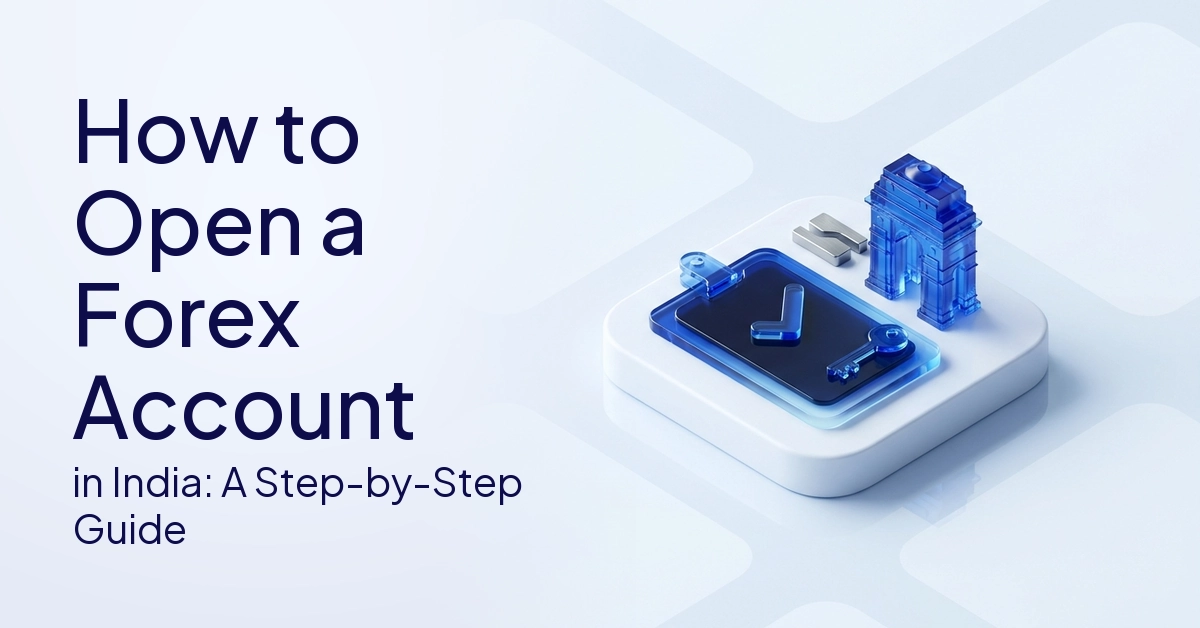
Opening a forex account in India is actually a fairly simple process that involves registration, identity verification, setting up a trading platform and funding the account.
Have you ever wondered what really happens behind the scenes from the time you hit “register” until you make your first trade?
Opening a forex account typically involves steps to verify your identity and support account security. You will need personal information, standard KYC documents, bank details and login details for the platform to begin the process.
Demo and live accounts play very different roles in this journey. This guide takes you through how to open a forex trading account. It includes prerequisites, KYC, types of accounts, how to set up the platform, first deposits and common FAQs for beginners.
Quick Answer
Opening a forex account in India is typically a systematic process with a few steps. First, register with a supported platform provider. Secondly, you need to complete your KYC with valid proofs of identity and address, such as a PAN card or an Aadhaar. Third, select the type of account that suits your requirements. Lastly, set up your terminal login details and deposit funds to the account if you choose to access live markets.
What Do You Need Before Opening A Forex Account?
Before you open a forex account, you will be required to provide your basic contact details, accepted identity documents, proof of residence and valid banking details.
Basic Details Checklist
Most of the account application forms to open an account will ask you for basic personal information to build your profile. You will be asked to provide your full legal name, email address, phone number and date of birth.
Providers will also ask you about your country of residence, physical address and basic financial or trading experience to assess the most suitable type of account for you.
Documents To Prepare
Different providers will have different requirements but the regulated providers generally require verification documents. You may need to submit accepted identity and address verification documents, such as a PAN card or Aadhaar card where applicable.
You will need a bank statement or proof of a bank account. Sometimes they ask for a recent utility bill or proof of income. If digital KYC is used they often ask for a photo or selfie verification.
Demo Account Option
A forex demo account is a great way for beginners who are not ready to open a live account to get started.
This will allow you to get used to the platform and learn how to place orders using virtual funds. It’s a good environment to get a feel for the market mechanics before risking any real capital.
How To Open Forex Trading Account In India: Step-By-Step
The standard procedure is for the user to register, verify documents, choose the type of account, install the platform and make the first deposit to the account.
Step 1: Choose A Platform Or Account Provider
Review the provider’s terms of account, supported platforms, instruments available and trading fees. Review their verification process and the types of accounts they offer.
Step 2: Register With Your Details
Fill in the basic contact information on the registration page. This will usually include your name, email address, phone number, country of residence, a secure password and your account preferences. Some providers, including STARTRADER, offer different account types and trading platforms. Review the available features and account terms before registering.
Step 3: Verify Email And Phone Number
Many sites require you to verify your email address or phone number during the account setup process. Usually you get a confirmation code before you go to full account setup.
Step 4: Complete KYC Verification
You will be asked to upload your identity proof, address proof and bank details. Some providers may require additional documents based on their internal compliance rules.
Step 5: Choose Demo Or Live Account
The demo account is for practice and testing purposes only with virtual money. A live account uses real money and there is real financial risk.
Step 6: Choose Account Type
The type of accounts depends on the provider and can be demo, standard, raw-spread or ECN style. Check the fee structure of each one to see which one is best for you.
Step 7: Wait For Verification
Different providers will complete verification within different timeframes. Some accounts may be reviewed in a timely manner, but others may take longer if documents are not clear, complete, expired or do not match.
Step 8: Make A First Deposit If Opening A Live Account
Most live accounts require to be funded before live trading can commence. Providers offer different payment methods, minimum deposit requirements and processing times.
Step 9: Download Or Open The Trading Platform
You might need an account with MT4, MT5 or mobile app or a web terminal. It depends on the technology supported by the provider you choose.
Step 10: Log In And Check Platform Access
Enter your account number, password and the server you want to connect to. Confirm that quotes, charts and account information are loaded correctly before continuing.
Forex KYC India: What Documents Are Usually Required?
Forex KYC processes require verification of government-issued identity proof, recent address proof and active bank account verification.
Identity Proof
Identity verification is a mandatory step. Acceptable documents are generally a PAN card, Aadhaar, passport, driving licence or Voter ID as accepted by the provider.
Address Proof
The Providers will have to check that you are a legal resident. Generally acceptable address proof documents are Aadhaar, passport, utility bill, bank statement, driving licence etc.
Bank Account Proof
They use your verified bank details to securely support account deposits and withdrawals. You can submit a bank statement, a cancelled cheque, a bank passbook or bank account details with the correct IFSC where applicable.
Income Or Financial Proof
Depending on the type of account, access to products or internal policy, some providers may request proof of income or other financial documentation. Acceptable documents include salary slips, income tax return acknowledgement, bank statements, net-worth certificates, or other financial documentation where applicable.
Note: Today’s onboarding processes are increasingly digitized and may include additional verification methods. This can include uploading documents online, selfie verification, video verification, e-signature or automated document validation as per global regulatory guidelines like Financial Action Task Force (FATF) and others.
KYC Checklist Table
| Document Type | Common Examples | Why It May Be Requested |
|---|---|---|
| Identity Proof | PAN, Aadhaar, passport, driving licence | To verify the applicant’s identity |
| Address Proof | Aadhaar, utility bill, passport, bank statement | To verify residential address |
| Bank Proof | Bank statement, cancelled cheque, passbook | To verify funding and withdrawal details |
| Income Proof | Salary slip, ITR, bank statement | May be requested for certain account access |
| Contact Details | Email and phone number | For login, verification, and account notices |
Which Account Type Should You Choose?
There are many considerations to make when it comes to which account type to go for and it will come down to your level of trading experience, the type of fee structure you prefer and whether you want to access the markets virtually or for real.
BIS survey data show that retail traders account for only a small fraction of total forex volume, with most activity driven by banks and institutions.
Demo Account
A demo account uses virtual money. It is very useful for learning platform tools, reading charts, and testing order types before considering live trading.
Standard-Style Account
For beginners, a standard-style account may be easier to understand depending on the provider’s account structure. Costs can be mainly presented via spreads depending on the provider’s fee structure.
Raw-Spread Or ECN-Style Account
These accounts may have tighter spreads but may have separate commissions or different execution conditions. To learn about these different fee models, you need to review the features and costs associated with different forex account types.
Account Type Comparison Table
| Account Type | Main Use | Beginner Note |
|---|---|---|
| Demo | Platform practice with virtual money | Useful before live trading |
| Standard-Style | Simpler live account structure | Check spreads, charges, and account terms |
| Raw-Spread / ECN-Style | Different spread and commission structure | Understand costs before choosing |
| Mobile / Web Access | Account access through app or browser | Useful for monitoring and basic management |
How To Set Up The Trading Platform After Opening Your Account
Once your account is approved, you will need to install the supported software, enter your server credentials and confirm market connectivity.
Download MT4 Or MT5
Many people use forex platforms on MT4, MT5, mobile apps and web terminals. Availability varies by platform and account provider. You can download MT5 or download MT4 to access these popular interfaces.
The official MetaQuotes documentation outlines the basic features of the software, but you will need a supported provider and server login to access real-time data.
How to Set Up The Platform
- Download or open the platform on a supported device
- If you’re on PC, install the desktop app.
- Launch the mobile app on Android or iPhone.
- Enter your account number or login ID.
- Pick the right server.
- Enter the password.
- Check the connection.
- Open Market Watch or Quotes.
- Check if charts and prices are loading,
- If you need to, practice on a demo first
Common Setup Issues
Technical hurdles can sometimes trip up new users. Common problems include choosing the wrong server, entering the wrong password or attempting to login before the account has been verified.
Other problems include the platform being disconnected, symbols not displaying, charts not loading, or the app being downloaded from an unsafe source.
Making Your First Deposit
Funding your account is for live trading only, and you must check minimum deposit requirements and processing times before depositing.
What To Check Before Depositing
Pay particular attention to the minimum deposit and available deposit methods. You should also look at withdrawal methods, processing times, currency conversion fees, platform fees, account terms and all relevant risk disclosures.
No Specific Deposit Advice
The amount you can deposit depends on the provider’s minimum funding requirements and your own circumstances. . Each provider has a different minimum deposit amount, so you should check carefully what the provider requires.
Note: A demo account can be opened by beginners. If you are not ready for live trading yet, virtual funds can help you become familiar with the platform.
Mistakes To Avoid When Opening A Forex Account
You’ll find the set-up and approval process so much smoother if you avoid common mistakes such as submitting the wrong documents or overlooking account conditions.
- Uploading unclear or expired documents
- Using different names across documents
- Selecting an account type without knowing the costs
- Skipping demo practice
- Choosing the wrong trading server
- Forgetting login details
- Depositing before understanding your account features
- Assuming that demo and live trading are identical
- Ignoring risk disclosures
- Expecting all account approvals to be accepted immediately
FAQs
The standard process is to register with a supported account provider, provide personal information, complete KYC checks, select an account type, set up the trading platform and fund the account if opening a live account. Requirements vary by provider.
Common documents required are identity proof, address proof, bank account verification, and, in some cases, income or financial documentation. Examples are PAN, Aadhaar, passport, utility bill, bank statement and cancelled cheque depending on the provider’s requirement.
Many providers offer a free demo account with zero deposit required. Most providers require a funded account before you go live, but the rules on minimum deposits vary.
Verification time varies; If the documents are clear and the details match, the process can be faster but if the documents are incomplete, expired, blurry or require manual review, it can take longer.
Yes, a demo account lets beginners practice navigating the platform, placing orders, reading charts and applying risk controls with virtual funds before trading with real money.
Conclusion
To set up your profile, you will need to upload the required documents, select an appropriate account type and configure your trading platform.
The process of opening a forex account is systematic and follows a step-by-step approach. Proper identification is often verified through KYC documents.
The account types should be compared carefully and your platform login details and server selection are important for connectivity.
Demo accounts can be useful for practising platform features before trading live, which involves real financial risks. Requirements vary between providers, so it is important to check the details carefully.
The basics take time to learn but they can help build a stronger foundation for your future trading activities.
Read more educational guides on demo accounts, account types, platform setup, and risk management.
CFDs are complex financial instruments and carry a high risk of losing money rapidly due to leverage. You should ensure you fully understand the risks involved and carefully consider whether you can afford to take the high risk of losing your money before trading.
This content is provided for educational and informational purposes only. It does not constitute investment advice, financial guidance, or a recommendation to trade any financial instrument.
Tags


Open Live Account
 Email Address
 Phone Number
Important Notice
STARTRADER does not accept any applications from Australian residents.
To comply with regulatory requirements, clicking the button will redirect you to the STARTRADER website operated by STARTRADER PRIME GLOBAL PTY LTD (ABN 65 156 005 668), an authorized Australian Financial Services Licence holder (AFSL no. 421210) regulated by the Australian Securities and Investments Commission.
Important Notice for Residents of the United Arab Emirates
In alignment with local regulatory requirements, individuals residing in the United Arab Emirates are requested to proceed via our dedicated regional platform at startrader.ae, which is operated by STARTRADER Global Financial Consultation & Financial Analysis L.L.C.. This entity is licensed by the UAE Capital Market Authority (CMA) under License No. 20200000241, and is authorised to introduce financial services and promote financial products in the UAE.
Please click the "Continue" button below to be redirected.


